Moving off Dynamics GP
The cheapest migration is one that starts with clean data. Ledger Doctor shows how ready your GP data is, fixes what it can before the move, and gives your implementation partner what they need without a single export file emailed around.
From GP to the new system
- See how ready you are. Migration readiness grades each GP company from A to F: data health, how complex the move is, your chart of accounts and segments, values buried in descriptions, accounts nobody uses, and how much history there is.
- Clean up first. The nightly checks find what would otherwise move with you: documents that aren't really open, subledgers that don't tie, stuck batches. Fix them in Ledger Doctor or in GP with a guide.
- Connect your partner. On the Migration page, enter your implementation partner's code. Once they accept, they see a short quoting summary of the company: how many accounts, vendors and customers, years of history, modules and a few account numbers.
- Confirm the scope. Your partner picks the GP companies for your project. You check they're the right ones, and approve exactly what data goes to them, before they pay for the project.
- Move with data that ties. Your partner maps your chart and dimensions in their partner app, and your opening balances are proved to the cent against GP's trial balance.
What's in the way, from your partner
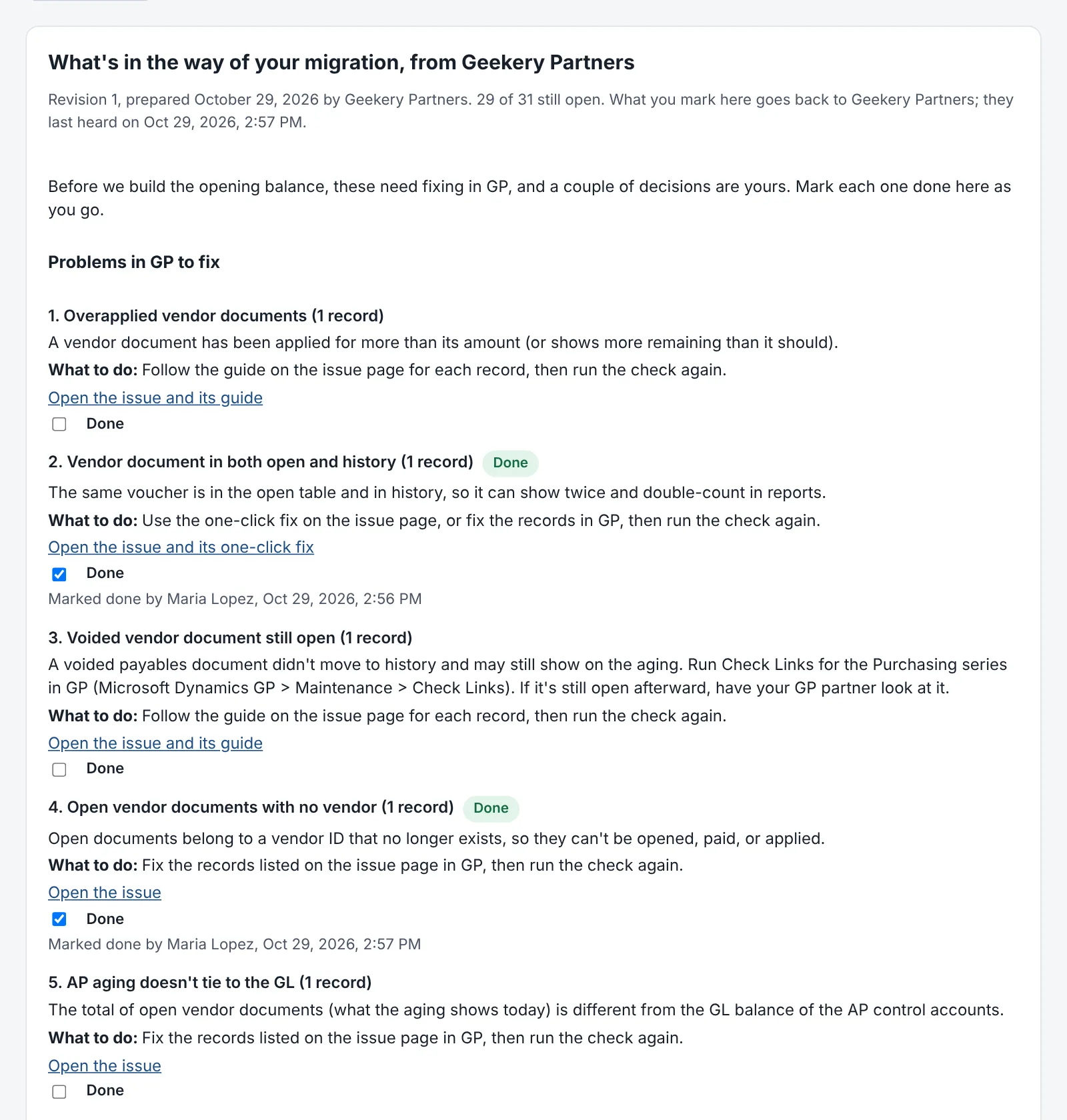
Your partner can send a list of what's holding up the move: problems in GP to fix, each linked to its issue, its guide or its one-click fix in Ledger Doctor, and the decisions that are yours to make. Mark each one done on the Migration page as you go; your partner sees it.
Your data, only where you send it
Everything your partner gets is encrypted on your server for their partner app and signed by yours. myledgerdoctor.com passes it along without being able to read it, and deletes it once it's delivered. You can end the connection any time; nothing more is sent.
Keep closing on GP until you go
A migration takes months. Ledger Doctor keeps every close on GP on schedule meanwhile, and your Essentials, Close or Controls plan works the same as ever. Your partner's project is a separate purchase they make; it doesn't change your plan.